OFFERLimited-time prices: 20% off every AI course, and the starter courses are free.Claim the offer

ONE TOOL A DAY. REAL SKILLS IN WEEKS, NOT YEARS.

28-Day AI Ready Challenge

Learn 27 practical AI tools in 28 days, one tool a day, for research, writing, visuals, video, voice, meetings, marketing, sales and automation. Each lesson tells you clearly what's free and what's paid.

  • 28 days
  • Beginner to Advanced
  • English
  • Certificate
  • 27 AI Tools
  • Practical AI Skills
  • Research, Writing, Analysis, Visuals, Video, Audio, Marketing & Automation
  • Beginner to Advanced

What you'll learn

  • Write prompts that get useful answers using Role, Context and Instructions
  • Follow one simple 4-step method that works on any AI tool: Clarify, Specify, Generate, Verify & Refine
  • Research faster with cited sources using Perplexity, Grok, DeepSeek and Gemini
  • Analyse long documents, contracts and mixed files, and get one clear summary
  • Create images, social posts, flyers, product mockups and presentations without design skills
  • Produce AI avatar videos, script-to-video content and short clips for social media
  • Turn articles into audio, write by voice, get clear call audio and automatic meeting notes
  • Use AI inside Outlook, Excel, Word, PowerPoint, Teams, Notion and ClickUp
  • Write marketing copy, set up AI chatbots for Instagram and WhatsApp, and use AI in your CRM
  • Automate repeated tasks with Zapier by simply describing them
  • Know which tools are free, which are paid, and which one fits each job

Course content

28 sections · 106 lessons · 21h 35m total

Day 1: ChatGPT — Endless Possibilities5 lessons · 1h
  • Why vague prompts give vague answers11 min
  • Role, Context and Instructions: the 3 parts of a strong prompt11 min
  • Follow-ups that reuse the whole conversation11 min
  • Custom GPTs, Memory, Projects, Voice Mode, Deep Research and Connectors11 min
  • 5 practice tasks16 min
Day 2: Gemini — Make Sense of Mixed Documents4 lessons · 50 min
  • Upload notes, emails, PDFs and spreadsheets together13 min
  • Get one connected summary, with contradictions flagged13 min
  • The 3-part formula for good Gemini requests12 min
  • Gemini's limits and when to double-check12 min
Day 3: Claude — Careful Thinking & Long Documents4 lessons · 50 min
  • When to choose Claude over ChatGPT or Gemini13 min
  • Review a contract section by section and flag risks13 min
  • Prepare for a meeting or difficult conversation12 min
  • Projects and Artifacts (free) vs Pro features12 min
Day 4: Midjourney — AI Images4 lessons · 45 min
  • Create your first image from a prompt12 min
  • Refine with Vary Subtle, Vary Strong and Upscale11 min
  • How lighting words change the whole image11 min
  • Keep a consistent look with reference images11 min
Day 5: Synthesia — AI Avatar Videos4 lessons · 45 min
  • Create a presenter video from a script, no camera12 min
  • Write scripts that sound natural11 min
  • Translate videos into 160+ languages11 min
  • Branding, scenes and export settings11 min
Day 6: Perplexity — Research with Sources4 lessons · 45 min
  • One researched answer instead of 10 open tabs12 min
  • Compare tools or vendors and get a recommendation11 min
  • Check citations before you act11 min
  • Pro Search, Deep Research and Spaces11 min
Day 7: Canva AI — Design from a Sentence3 lessons · 45 min
  • Design, Image, Doc, Code and Video modes15 min
  • Create posts and flyers by typing, uploading or speaking15 min
  • Refine designs with the in-editor chatbot15 min
Day 8: ChatGPT Images — Visuals for Work4 lessons · 50 min
  • Posters with exact, readable text11 min
  • Realistic people and specific art styles11 min
  • Labelled diagrams and product mockups17 min
  • Edit one thing at a time11 min
Day 9: Jasper — Marketing Copy in Your Brand Voice4 lessons · 45 min
  • Why general AI tools sound generic for marketing12 min
  • The What + Who + Goal brief11 min
  • Agent Library templates and Jasper IQ brand memory11 min
  • Emails, social posts, ads and website copy11 min
Day 10: Notion AI — Your AI Project Hub3 lessons · 55 min
  • Build a reusable project management workspace19 min
  • Planning, risk, reporting and team update templates18 min
  • Ask questions across your whole workspace18 min
Day 11: Grok — Real-Time Information4 lessons · 45 min
  • What people are saying about a topic today12 min
  • DeepSearch for cited, cross-checked research11 min
  • Imagine for images and short videos11 min
  • Turn rough notes into formatted documents11 min
Day 12: Microsoft Copilot — AI Inside Office4 lessons · 50 min
  • Summarise long email threads in Outlook13 min
  • Meeting recaps in Teams13 min
  • Charts and formulas in Excel from plain words12 min
  • Turn a Word document into a PowerPoint deck12 min
Day 13: Fathom — AI Meeting Notes4 lessons · 45 min
  • Auto-join and record Zoom, Meet and Teams calls12 min
  • Instant summaries and action items11 min
  • Share a short clip instead of the full recording11 min
  • Draft follow-up emails from the call11 min
Day 14: Zapier — Automate Repeated Work4 lessons · 50 min
  • Triggers and actions explained simply13 min
  • Build an automation by describing it13 min
  • Add AI steps to summarise, sort or draft12 min
  • When to use an AI Agent instead12 min
Day 15: Beautiful.ai — Presentations in Minutes4 lessons · 45 min
  • Turn scattered notes into a designed deck12 min
  • Smart Slides that keep layouts clean11 min
  • Flowcharts and diagrams from a description11 min
  • Where your own judgment must take over11 min
Day 16: DeepSeek — Reasoning & Search3 lessons · 40 min
  • Instant, Expert and Vision modes14 min
  • DeepThink: see the step-by-step reasoning13 min
  • Meaning-based search for "why" questions13 min
Day 17: Grammarly — Writing Partner Everywhere3 lessons · 40 min
  • Real-time corrections in Gmail, Docs, Slack and LinkedIn14 min
  • Proofreader, Paraphraser, Reader Reactions and Humanizer13 min
  • Grammarly Go assistant13 min
Day 18: QuillBot — Paraphrasing & Grammar3 lessons · 40 min
  • Standard, Fluency and Formal modes14 min
  • Grammar Checker, Sentence Rewriter and vocabulary13 min
  • Plagiarism Checker, citations and AI Detector13 min
Day 19: Pixlr — AI Photo Editing3 lessons · 40 min
  • Auto-enhance and AI image generation14 min
  • Remove backgrounds and add text in minutes13 min
  • Layers, filters and the right export format13 min
Day 20: Pictory — Script to Video4 lessons · 45 min
  • Turn a script, URL or PowerPoint into a video12 min
  • Auto-highlights for social media clips11 min
  • Edit video by editing text11 min
  • AI voiceovers and brand kit11 min
Day 21: D-ID — Talking Avatars4 lessons · 45 min
  • Turn a photo into a talking presenter12 min
  • Voice cloning in 120+ languages11 min
  • Interactive AI agents for your website11 min
  • Video Translate11 min
Day 22: Speechify — Listen, Dictate, Learn4 lessons · 45 min
  • Turn articles and PDFs into audio12 min
  • Write by voice up to 5x faster11 min
  • Ask questions about the document you're reading11 min
  • Turn documents into podcasts11 min
Day 23: Krisp — Clear Calls & Meeting Notes4 lessons · 45 min
  • Remove background noise during calls12 min
  • Accent Conversion and live voice translation11 min
  • Meeting notes without a bot in the call11 min
  • Ask Krisp to find any moment in a meeting11 min
Day 24: ClickUp Brain 2.0 — AI Project Management4 lessons · 50 min
  • Create tasks with one plain sentence13 min
  • Switch between ChatGPT, Claude and Gemini in one chat13 min
  • Super Agents for always-on workflows12 min
  • Build automations in plain English12 min
Day 25: HubSpot Breeze — AI in Your CRM4 lessons · 45 min
  • Ask questions about your deals and contacts12 min
  • Customer, Prospecting and Data Agents11 min
  • Content Remix: one post into many formats11 min
  • Track your brand in AI search results11 min
Day 26: Crystal — Personality Insights4 lessons · 45 min
  • Look up a colleague's or prospect's communication style12 min
  • DISC personality types explained11 min
  • Write emails that match the reader's style11 min
  • Prepare for meetings with Meeting Insights11 min
Day 27: Chatfuel — AI for Instagram & WhatsApp3 lessons · 45 min
  • Set up an AI assistant for sales, bookings and marketing15 min
  • Add your services, prices and FAQs15 min
  • Test replies before going live15 min
Day 28: Conversica — AI Sales Conversations4 lessons · 45 min
  • Two-way AI follow-up with sales leads12 min
  • Industry-trained agents for hospitality, education, automotive and more11 min
  • Answers grounded in your own FAQs11 min
  • How to evaluate an enterprise AI tool11 min

Requirements

  • No AI or coding experience needed
  • A laptop or desktop computer with internet
  • A Google account (most tools let you sign in with it)
  • Most tools have a free plan that covers the practice tasks
  • Some tools are paid or trial-only: Midjourney, Jasper, Beautiful.ai, Pictory, D-ID, Chatfuel, ClickUp Brain and Microsoft 365 Copilot (for your own files)
  • Conversica is an enterprise tool with no free trial, so that day is taught through examples
  • Wherever a tool is paid, the lesson shows you a free alternative, so you can practise without buying anything

Who this course is for

  • Corporate professionals and managers who want to stay relevant as AI changes their role
  • Consultants and small business owners who want practical, billable results from AI
  • Fresh graduates and job seekers who want job-ready AI skills on their CV
  • Marketing, sales and HR professionals who want AI for content, CRM and communication
  • Anyone who wants to know which AI tool to use for which job, and what it costs

About this course

AI is moving fast. Are your skills keeping up?

AI is already changing how professionals research, communicate, analyse, create, market and automate their work. The question is no longer whether AI will matter. It already does. The question is how prepared you will be to work with it.

You learn alongside three people throughout the challenge: Aditya, a mid-level corporate manager; Meera, who runs her own consultancy; and Yash, a recent graduate building job-ready skills.

28 days. Practical skills. Real-world application.

• RESEARCH WITH GREATER SPEED — discover information, compare sources, summarise findings

• WRITE & COMMUNICATE BETTER — emails, reports, documents, rewriting, professional communication

• ANALYSE INFORMATION — understand data, compare options, support decisions

• CREATE PROFESSIONAL VISUALS — images, designs, social creatives, presentations

• CREATE VIDEO CONTENT — scripts, AI avatars, AI video, social clips

• WORK WITH VOICE & AUDIO — narration, text to speech, voice typing, clear calls

• IMPROVE EVERYDAY PRODUCTIVITY — planning, meeting notes, organisation, faster execution

• BUILD MARKETING & SALES CONTENT — campaigns, brand copy, CRM, chatbots, lead follow-up

• AUTOMATE REPEATABLE WORK — AI automation and workflows

Learn → Practise → Apply → Improve → Become AI-ready

Every lesson shows you exactly where to click, gives you a real example, and asks you to try it on your own work. You'll also know what each tool costs before you sign up, so there are no surprises.

Knowing about AI isn't the same as knowing how to use it. This challenge gives you time to explore, experiment and build skills you can apply to real work.

28 days to start building the skills that matter in an AI-enabled workplace.

How it works

  1. 1

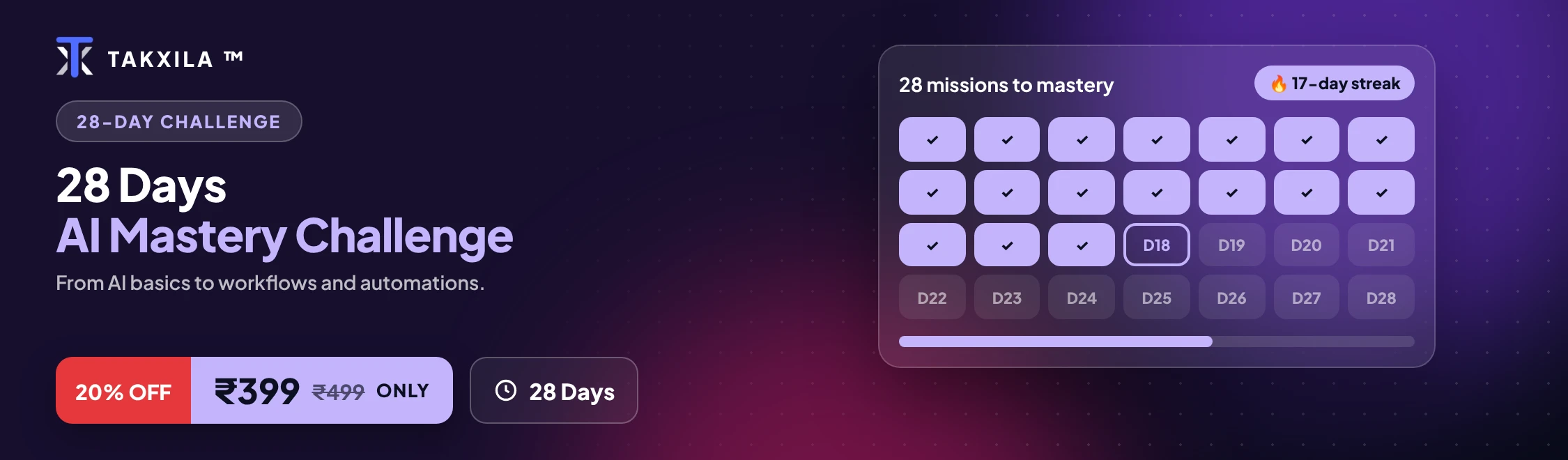
    Join the challenge by paying ₹399

  2. 2

    Complete the daily missions in 28 days

  3. 3

    Earn your certificate and a leaderboard rank

Frequently asked

Why take this course?

Every lesson is practical and ends in something you can use. You learn with the real tools, step by step, and track your progress on your dashboard.

What is the benefit for me?

You finish with working projects, a certificate you can share, and skills you can use at work or in your own business straight away.

How long do I have to finish?

Learn at your own pace. Your progress, grades and streak are saved on your account.

Do I get a certificate?

Yes. Complete every lesson and a certificate with a unique ID appears under Certificates, ready to download.

Keep going

More in AI Challenges

₹399₹49920% offEnroll now